

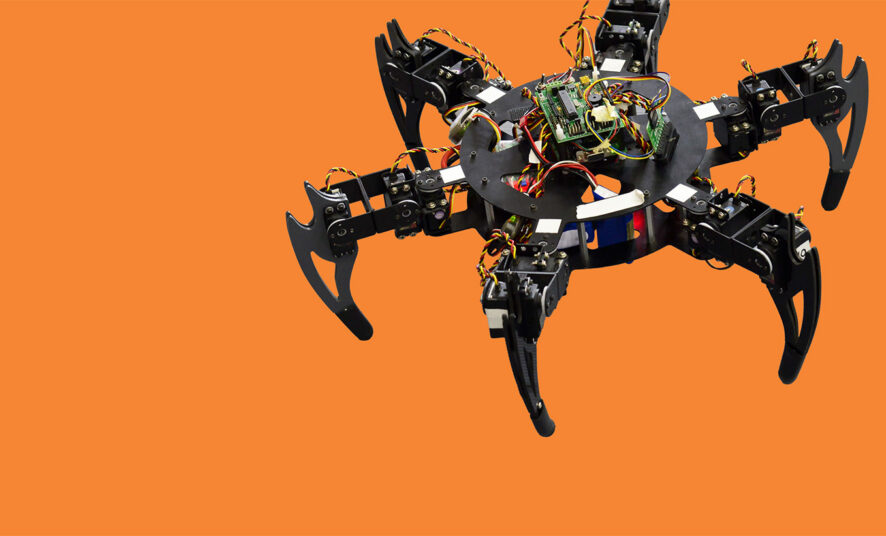
Building websites for AI crawlers comes down to one rule: put your important content in the HTML your server sends. Most AI crawlers, including OpenAI’s GPTBot and Anthropic’s ClaudeBot, do not run JavaScript. They read the raw HTML response and move on, so server-side rendering, semantic markup, a lean DOM, structured data, and a sensible robots.txt file decide whether ChatGPT, Claude, and Perplexity can understand your site.
The good news is that none of this is exotic. AI crawler friendly web development is mostly the clean, standards-based work good developers have recommended for years. The bots have just made it harder to skip.
Quick Eggcerpt on AI Crawlers and Web Developers
- Most major AI crawlers fetch – fetch is now a thing – your HTML without executing JavaScript, so content that only appears after a script runs is invisible to them.
- Google’s Gemini and Apple’s Applebot are the main exceptions, since both render pages with a browser-based crawler. So fetch.
- Semantic HTML, a small DOM, and JSON-LD structured data make pages easier for machines to parse. Machines love this. A happy AI is…less likely to rise up against us?
- AI companies still look to robots.txt for access rules, while llms.txt remains optional and lightly used.
- Every item on this list also helps human visitors and traditional SEO, so the work pays off twice.
Why Is Building a Website for AI Crawlers Important?
People now ask ChatGPT, Claude, Perplexity, and Google’s AI Mode the questions they used to type into a search bar. When those tools answer, they draw on content their crawlers and fetchers could read, which makes building websites for AI crawlers essential. If a crawler receives an empty shell, your business is left out of the answer, no matter how good the page looks in a browser. Not very fetch (last time, I swear).
The volume is significant. In a December 2024 study by Vercel and MERJ, GPTBot made 569 million fetches – urge resisted – across Vercel’s network in one month and Claude made 370 million, about 20% of Googlebot’s 4.5 billion requests over the same period. The study also found that none of the major AI crawlers rendered JavaScript, a list covering OpenAI’s three bots, ClaudeBot, Meta-ExternalAgent, Bytespider, and PerplexityBot.
For years, Google’s rendering queue forgave a lot of front-end shortcuts. Googlebot runs a headless version of Chromium, waits for scripts to finish, and indexes what appears. AI crawlers skip that step. A JavaScript-heavy site can rank well in Google and still look nearly blank to the bots feeding AI answers. Let’s not make the bots sad!!
8 Tips on How to Build an AI-Friendly Website
Building websites for AI crawlers boils down to giving bots clean, predictable code they can digest on the very first pass. Good news: you do not need to burn down your whole tech stack and start over to pull this off. Run through these eight engineering habits to keep your pages snappy, readable, and easy for language models to index.
1. Render Your Important Content on the Server
Server-side rendering vs client-side rendering is the biggest decision on this list. With client-side rendering, the server sends a nearly empty HTML document plus a bundle of JavaScript, and the browser builds the page. An AI crawler stops after the first step and leaves with the empty document.
Your main copy, product details, pricing, FAQs, navigation, titles, and meta descriptions should all exist in the initial HTML. Server-side rendering, static generation, and prerendering all get you there. WordPress starts with an advantage because PHP renders pages on the server by default, as long as a theme or plugin does not move core content into JavaScript. Client-side rendering is still fine for extras like chat widgets, view counters, and social feeds, which Vercel also recommends.
2. Use a Semantic HTML Structure
A semantic HTML structure tells a machine what each piece of a page is. A crawler parsing <main>, <article>, <nav>, <section>, and an orderly run of <h1> through <h3> tags can separate your content from menus and footers. A page assembled from dozens of nested <div> elements with generic class names leaves the parser guessing. HTML truly keeps evolving, let’s keep things semantic.
Keep one H1 per page and use headings in order. Mark up lists with <ul> or <ol>, put tabular data in <table> elements, and write descriptive link text. Accessibility work overlaps heavily with AI readiness here, so a site built for screen readers is usually easy for crawlers to read too.
3. Keep Your DOM Lean
DOM size and web performance go hand in hand. Google’s Lighthouse warns when the body element holds more than about 800 nodes and errors past roughly 1,400. Bloated markup slows rendering for people and buries your content under layers of wrappers for any parser trying to find it.
Page builder code bloat is the usual culprit. Drag-and-drop builders often wrap a single heading in five or six containers, add inline styles, duplicate sections for mobile and desktop, and load scripts for features the page never uses. We cover more of this in our post on the limitations of website builders. Custom themes and blocks built with clean code web development practices ship only the markup a page needs.
4. Add Structured Data With JSON-LD
Structured data in JSON-LD hands crawlers facts in a format they do not have to interpret. Schema.org types such as Organization, LocalBusiness, Article, Product, FAQPage, and BreadcrumbList spell out who you are, what you sell, and where a page fits in your site.
Output JSON-LD in the server-rendered HTML, usually in the head, and keep it consistent with the visible content on the page. If your SEO plugin already generates a schema graph, extend that graph so you do not end up with two competing Article or Organization entries.
5. Write Clear robots.txt Rules for AI Bots
Robots.txt for AI bots is still the access control file AI companies say they honor. Each company runs several bots with different jobs. Anthropic separates ClaudeBot, which collects content that may be used for model training, from Claude-SearchBot, which indexes content for search, and Claude-User, which fetches pages when a person asks Claude a question. OpenAI uses a similar split with GPTBot, OAI-SearchBot, and ChatGPT-User.
The split gives you options. A business that wants to appear in AI answers but would prefer to stay out of training data can block the training crawlers and allow the search agents:
User-agent: GPTBot

Disallow: /

User-agent: ClaudeBot

Disallow: /

User-agent: OAI-SearchBot

Allow: /

User-agent: Claude-SearchBot

Allow: /
Check your firewall and CDN settings too. Some hosting, CDN, and security services offer AI bot blocking at the network level, which can turn crawlers away before they ever read robots.txt. Make sure those settings line up with the rules you wrote.
6. Keep URLs, Redirects, and Sitemaps Tidy
AI crawlers waste a lot of effort on dead ends. In the Vercel and MERJ data, about 34% of ChatGPT’s and Claude’s fetches hit 404 pages, and ChatGPT spent another 14% following redirects. Googlebot hit 404s on about 8% of its fetches.
Keep your XML sitemap current, point internal links at final URLs, collapse redirect chains, and retire old asset paths cleanly. Every fetch a crawler spends on a missing page is one it does not spend on your content.
7. Treat llms.txt as an Optional Extra
The llms.txt standard proposes a Markdown file at your site root that points language models to your most useful pages. Adoption has grown, but evidence of use is thin. An Ahrefs study of about 137,000 sites found 97% of llms.txt files received zero requests in May 2026, and Google noted in June 2026 that Search does not use the file.
Coding agents and developer tools do read llms.txt, so it can help documentation-heavy and developer-facing sites. For most small business websites, treat it as a low-cost addition once the fundamentals above are in place.
8. Work with a Web Development Partner Like Red Egg
Most of this work happens below the surface, in templates, build tools, and server configuration. As a local Denver web developer, Red Egg builds custom WordPress themes and Gutenberg blocks with semantic markup, server-rendered content, and schema built in from the start. We use AI tools like Claude in our own development work, so we know firsthand how much they depend on readable pages. We also keep client sites updated and monitored, since outdated plugins and PHP vulnerabilities can undo good technical SEO quickly.
How to Check What AI Crawlers See on Your Site
Another big thing when it comes to building websites for AI crawlers is making sure you know what they’re seeing. The quickest test is to request your page the way a non-rendering crawler does. Run this from a terminal, swapping in your own URL:
curl -A “ClaudeBot” https://example.com/your-page/ | less
If your headings, body copy, and product details appear in the output, crawlers can read them. If you see a mostly empty <div id=”root”> followed by a stack of <script> tags, your content depends on JavaScript. You can also disable JavaScript in your browser’s developer tools and reload the page for a visual check.
Server logs show which AI bots visit and what they request. Because these crawlers do not run JavaScript, they never fire analytics tags, so GA4 will not report them. Filter your access logs by user agent instead.
Do AI-Friendly Websites Still Need Traditional SEO?
Yes. How AI crawlers read websites overlaps almost entirely with how search engines read them, minus the JavaScript rendering. Fast pages, clear headings, descriptive copy, structured data, and crawlable links help Googlebot, AI crawlers, and human visitors at once.
Content still carries the most weight. Clear, specific, authentic marketing written for your customers gives AI tools something worth citing, and a clean build makes sure they can find it.
Make Your Website Easy for AI Crawlers to Crack
Building websites for AI crawlers is mostly a return to fundamentals: server-rendered content, semantic HTML, lean markup, structured data, and clear crawler rules. Sites built this way load faster, hold up in search, and give AI tools the information they need to recommend you. If you are not sure what ChatGPT or Claude sees when it visits your site, Red Egg can audit your build and help you crack it open. Contact our team to get started.